TL;DR: Story Templates let editors pre-build a focused entry form for a specific story type, deciding which fields show, which are mandatory, what's pre-filled, and which production tasks and scheduling are already in place. Reporters pick a template and create routine stories in a fraction of the clicks, with data that stays consistent across desks, platforms, and teams.
Story Templates give editors a way to set up content entry once, with the right fields, the right defaults, and the right production tasks already in place, so reporters can create routine stories in a fraction of the clicks and keep data consistent across desks, platforms, and teams.
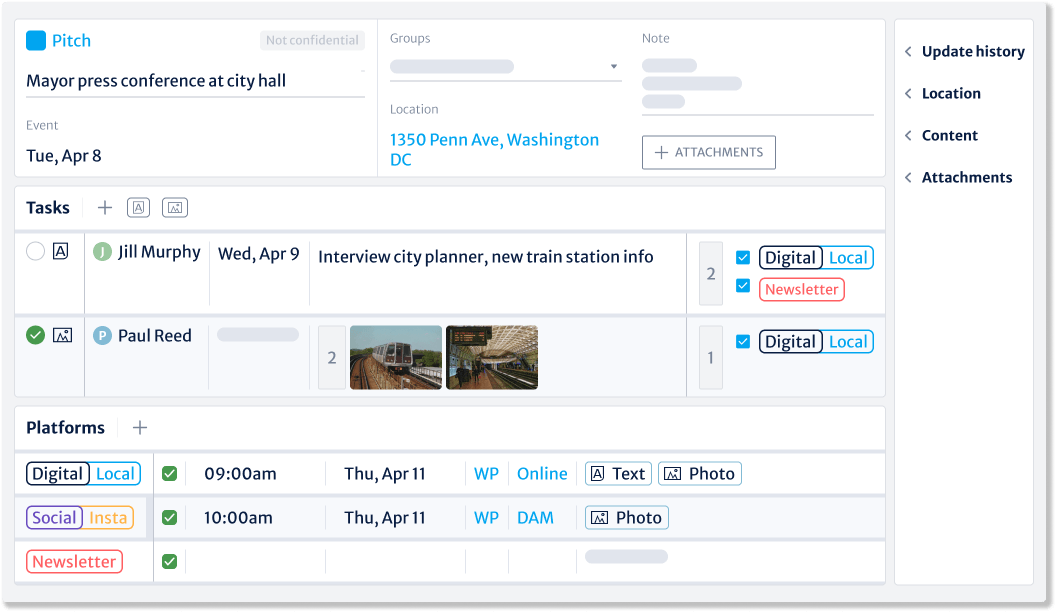
That matters because the Kordiam story card is comprehensive by design. Every field, every task, every publication detail is there because, at some point, for some story, it counts. But for reporters working through routine, repeatable story types like the Thursday sports report, the weekly interview, or the daily politics file, that depth can get in the way. Filling in the full card each time takes longer than it should, and the more often a team does it, the greater the chance a field gets missed or entered inconsistently.
That friction adds up. Across a desk, across a week, across every story of the same shape, small delays and small inconsistencies compound: data that doesn't match, production steps that get forgotten, time spent on entry that could go to reporting.
Story Templates let editors define a focused entry form for a specific story type, so reporters work from a card built for the job in front of them, not the full configuration every time.
How do Story Templates work?
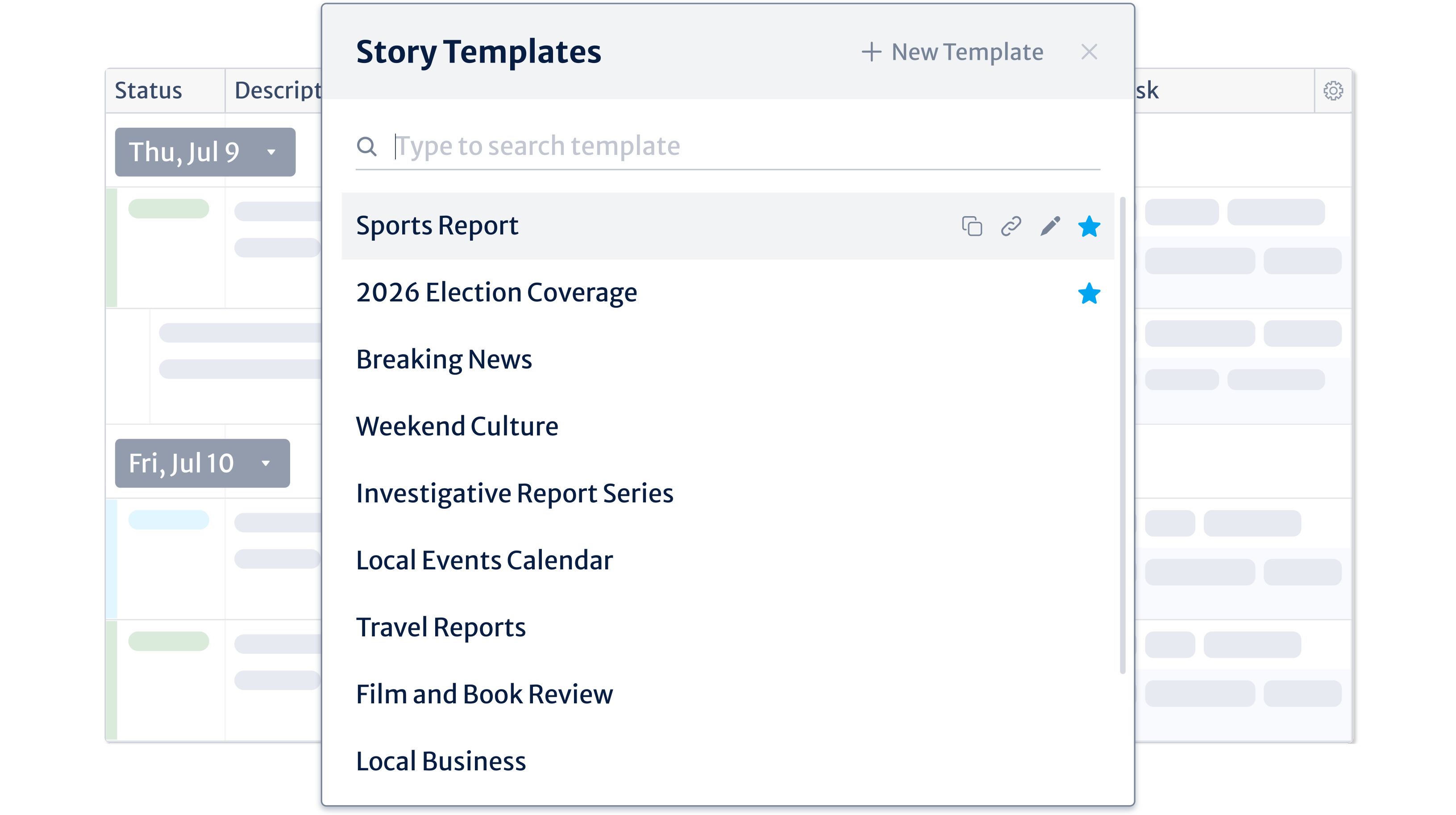
Editors create and manage templates directly in Kordiam. The complexity of the full story card stays where it belongs, at the configuration level, handled once by the editor, while reporters get a form tailored to a single use case: politics, sports, business, or whatever the desk needs.
When a reporter creates a story, they choose a template from the list and start from there. What they see, what they have to fill in, and what's already done for them is all decided in advance.
Each template gives editors control over:
- Field visibility and defaults. Every field can be shown, hidden, or pre-filled with a default value.
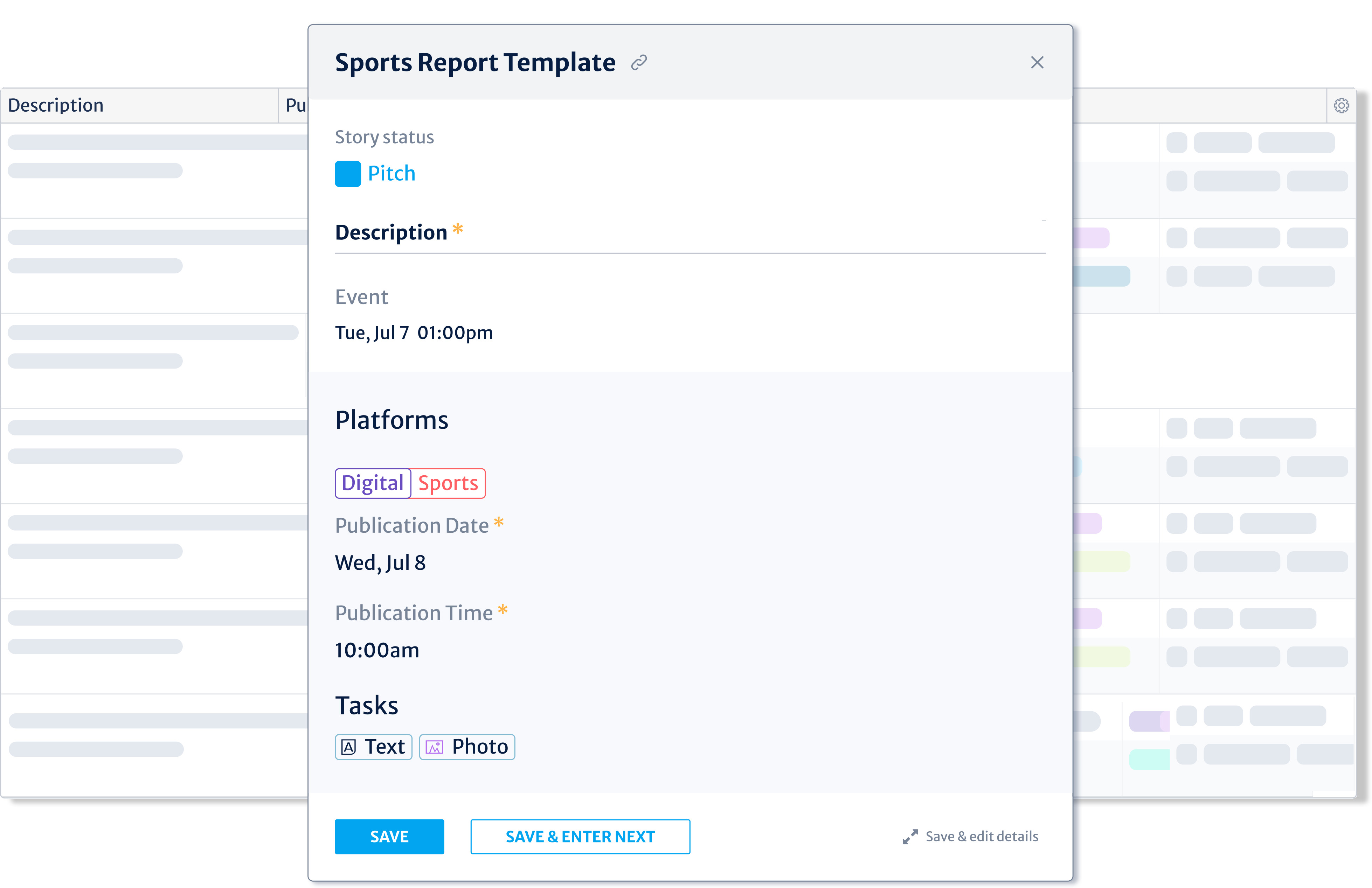
- Mandatory fields. Editors can mark a field as required. A small orange asterisk flags it, and the story can't be saved until it's filled, so the data you depend on is never left out.
- Hidden background data. A field can be pre-filled and hidden from the reporter entirely. The value still goes onto the story; the reporter just doesn't see it. This keeps metadata consistent across every story of a given type while keeping the reporter's view focused on what they actually need.
- Preset tasks. Production steps such as a photo task or a text task can be built into the template with a default status, assignee, and deadline already set. The right workflow is in place from the moment the story is created.
- Group-based access. Templates are assigned to user groups, so the sports desk sees sports templates and the business desk sees business templates. Each team works from a set built around its own story types.
Can a template handle scheduling for you?
Yes. Recent updates add scheduling controls to templates, taking more of the manual setup off the reporter's plate:
- Day-of-week scheduling. Set a story type to always publish on a given day. Enter a story on Monday and it lands on Thursday; enter it Friday and it still lands on the next Thursday. For story types with more than one slot, say Tuesday and Friday, Kordiam picks the next available day based on when the story is entered.
- Fixed publication times. Lock a publication time for a story type, 18:00 for example, so it's set without anyone having to think about it.
- Set time on save. For immediate stories, the publication time can be stamped at the moment the reporter saves: the time they hit save becomes the scheduled time.
Because these settings can be pre-filled and hidden, the reporter often doesn't touch scheduling at all. The story arrives in the right place at the right time on its own.
How do you keep templates handy and shareable?
Two features keep templates easy to reach and pass around, without adding a step to daily work:
- Bookmarks keep your most-used templates at the top of the list. Bookmarks are personal, so each person curates their own shortlist.
- Permanent URLs mean a template link keeps working even after the template is edited, unlike saved views, where editing changes the address. You can link to a template, share it, or save it in your favorites and trust the link will hold.
What does this look like on the desk?
Here are four desks, each with a template shaped around the work it does:
- Sports: match reports. An editor builds a template for post-game reports: story status pre-filled, a photo task added automatically with a default status of "Requested," match location set as mandatory, and publication channels assigned. The publication date fills in from a day-of-week schedule. The reporter opens a card with almost everything already in place and adds only the match detail.
- Politics: election coverage. A politics editor creates an "Election 2026" template with publishing channels pre-filled and the location of the event, speech, or debate marked as mandatory, so every story is tagged correctly from the start. A photo task is added automatically, signalling that a candidate image is expected. Reporters select the template and get straight to coverage.
- Magazine: the weekend interview. For the long-form interview that runs every Saturday, an editor pre-fills the print and digital platforms, sets a "Double page spread" custom field, marks sign-off by the interview subject as a mandatory task, adds a photo-shoot task at "Requested," and auto-fills the deadline as five days before print. The reporter adds the subject's name and key topics; the rest of the workflow is already mapped.
- Investigations: multi-part series. An investigations editor builds a template that adds a legal review task at "Pending" and a fact-checking task at "Open," with publication platforms pre-filled. No story in the series moves toward publication without its compliance and verification steps already on the board.
So why does this matter?
Story Templates move the work of the story card to where it makes the most sense: into the editor's hands, once, in advance. Reporters get a focused form with the right fields, the right defaults, and the right production tasks already set. Data stays consistent across story types, platforms, and teams, without anyone having to remember what to fill in or what a given story needs.
The full story card is still there when a story calls for it. What Story Templates add is control, a way for each desk to shape entry around the work it actually does.
Story Templates are live now. Head to the Kordiam help center to walk through setup step by step, from field visibility to scheduling rules: Read the Story Templates guide.